
For granite, quartz & solid-surface fabricators
Run the whole job — template to install.
Square-foot quoting with drawings, slab and remnant inventory, vein layouts your customer signs off on, template and install scheduling, and QuickBooks. One flat price for the whole shop.
No credit card required. Built by the family behind Marble-Lite Industries — a working surfaces manufacturer in Miami since 1978.
Priced per shop. Not per seat.
Most shop software in this trade charges for every person who needs to log in — so the estimator gets a seat, and the guys on the saw share one. MoldOps prices the shop: Pro covers a crew of three for one flat $349, Shop covers ten for $649, and one more person is $15 — not another license. Starter is the one-person plan at $149.
Quote the kitchen while they're still standing there.
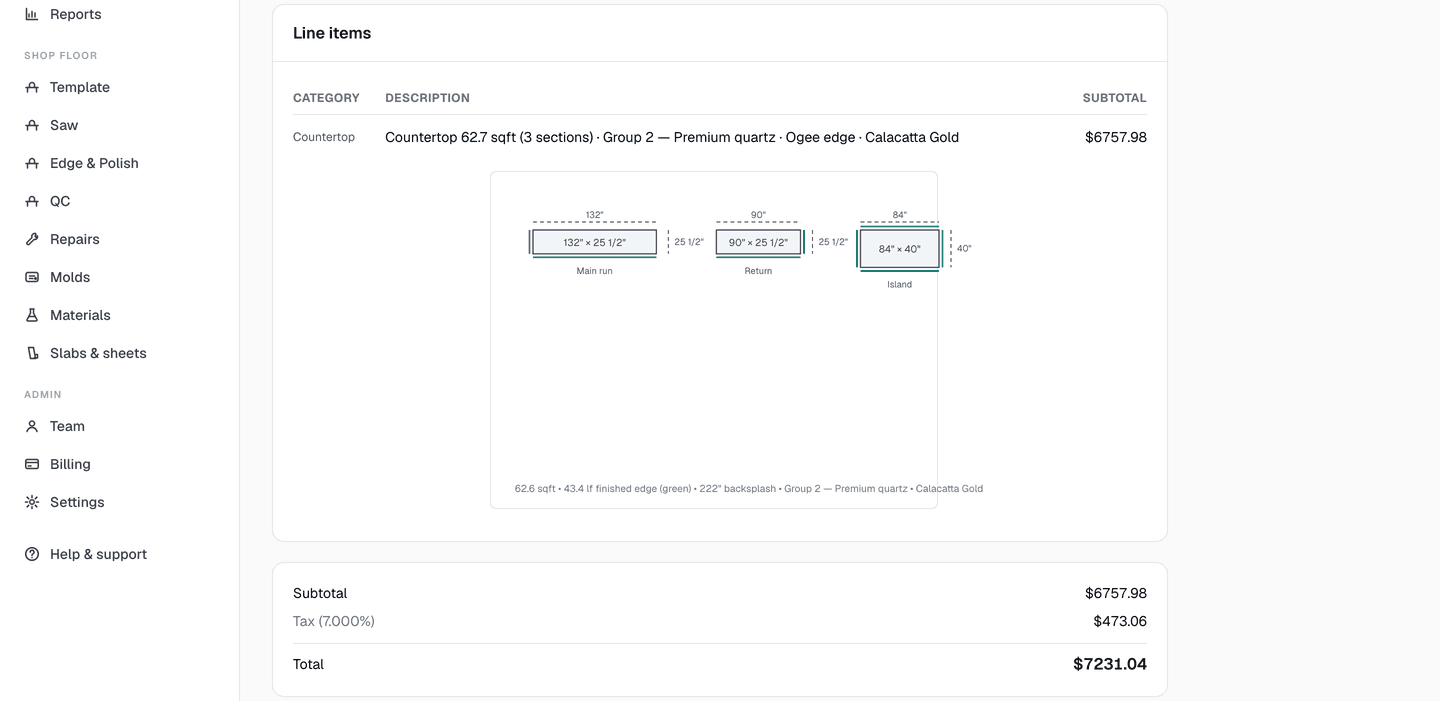
Enter the sections — an L is two, an island is its own — and tick which sides get a finished edge. MoldOps works out the square footage, the edge footage, the cutouts and the backsplash, applies your waste factor and shop minimum, and draws the job to scale. The drawing comes from the same numbers as the price, so the two can never disagree.
Nobody else in stone does this
Lay the job out on the slab. Let the customer approve it.
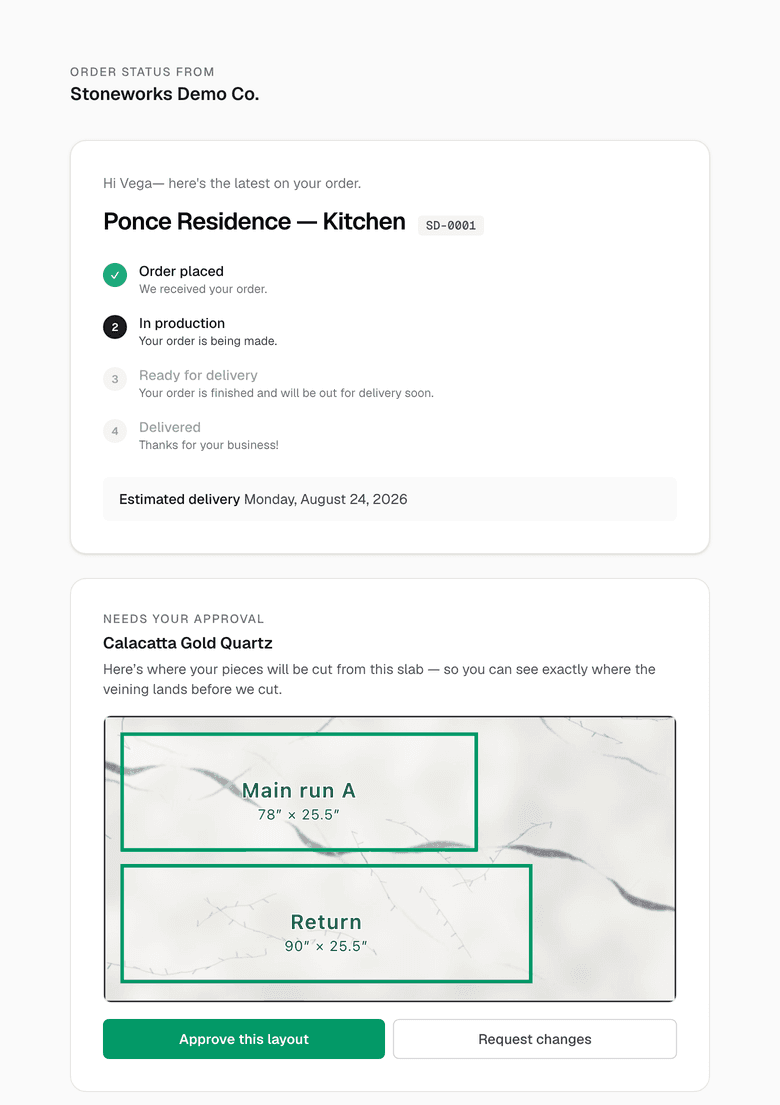
Photograph the slab, drop the job's pieces onto it to scale, and drag them until the vein falls where you want it. Then send it — your customer opens a link, sees their pieces on their slab, and taps Approve or asks for changes. No login, no app to install.
Until they approve, the production copy prints with a “not approved yet — do not cut” banner. Change the layout after approval and the approval clears itself. Photo taken at an angle out in the yard? Tap the four corners and it's squared into a true top-down view.
Stop walking the rack to answer a question.
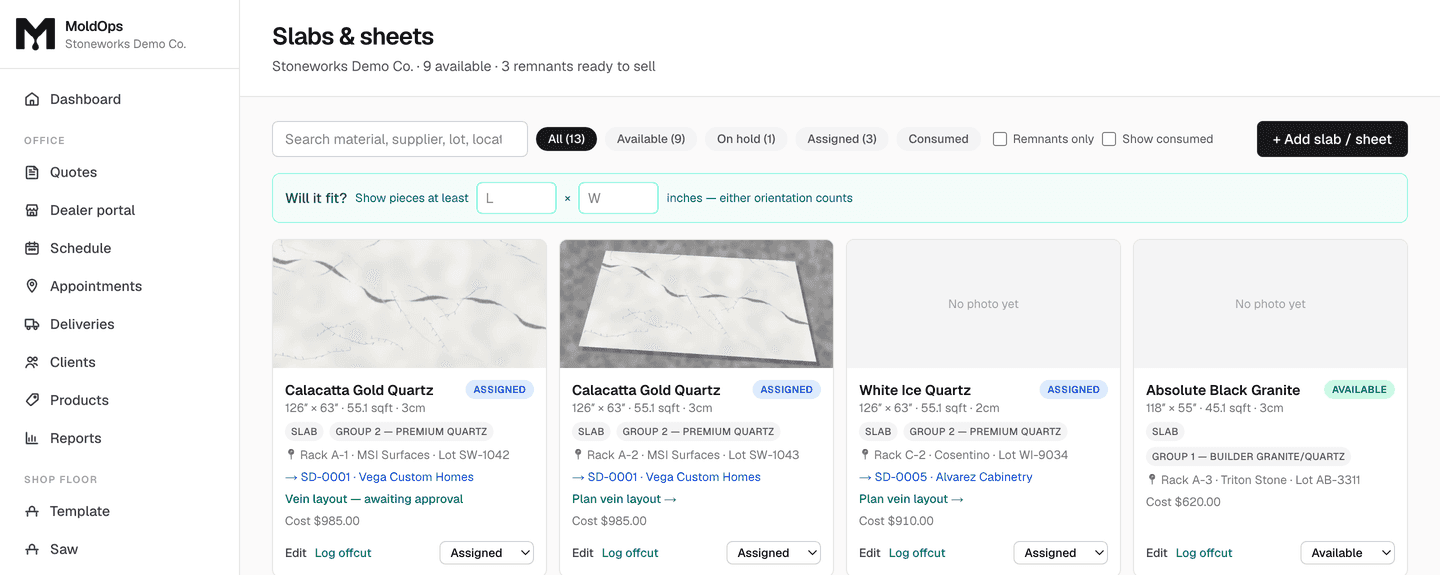
Log every slab and every offcut with a photo, lot, thickness, and rack location. When a salesperson needs 26" × 60" in Group 2, they search for it — and MoldOps checks the piece both ways round before telling them it won't fit. Solid-surface sheets live in the same yard, same search.
One calendar for the shop and the field.
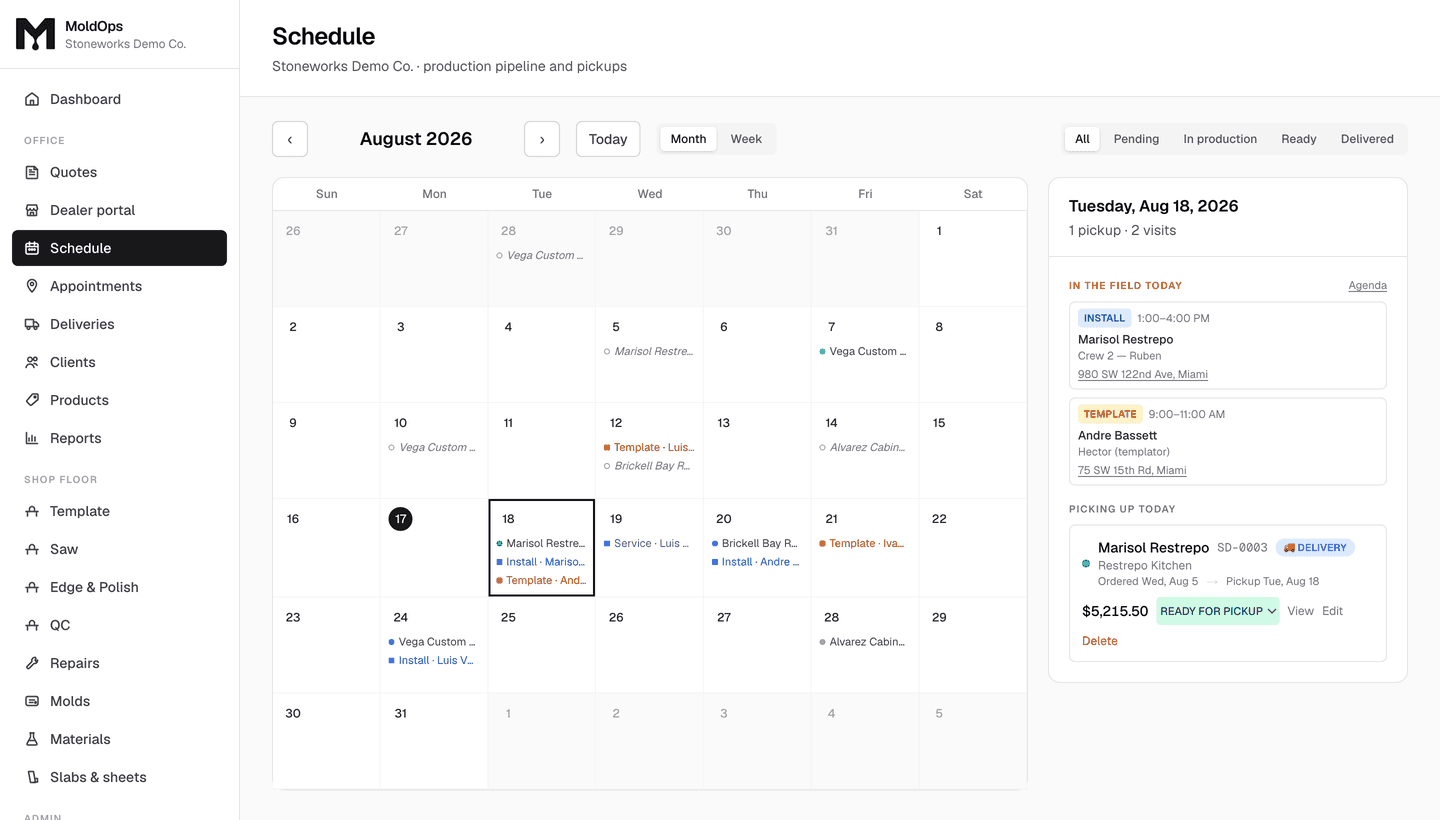
Jobs show on the day they were sold and the day they're due out, with drag-to-reschedule and overdue flags. Template, install, and service visits land on that same calendar — colour-coded by type, with the crew and the time window — so the office stops reconciling two calendars and a whiteboard.
Your stations are yours too. A stone shop starts with Template, Saw, Edge & Polish and QC — rename them, reorder them, or add your own.
Install days that route themselves.
Mark the day's installs and MoldOps orders the stops by real drive time from your shop, draws the route on a map, and gives the crew a phone link — navigate, tap done, customer notified. Want paper in the truck? Print the route sheet.
Everything between the measure and the invoice.
Quote by the square footEvery plan
Material groups carry your $/sqft, edges price per linear foot from the sides you mark finished, cutouts and backsplash by count and length. Waste factor and shop minimum applied automatically.
Slabs & remnants that stay honestEvery plan
Every slab and offcut with a photo, lot number, thickness, cost, and rack location. Search remnants by minimum size — it checks both orientations, so nothing hides in the rack.
Template & install visitsEvery plan
Schedule template, install, and service calls against the job, with crew, time window, and address. Install days route themselves and hand the crew a phone link.
A schedule the whole shop readsEvery plan
Jobs plotted on the day they came in and the day they go out, with drag-to-reschedule and overdue flags. On Pro the shop-floor stations are yours too: Template, Saw, Edge & Polish, QC — rename or add any time.
QuickBooks without double entryPro plan
Customers and items sync in, invoices and payments push back. Record a deposit, write off a fee, and the books match without retyping anything.
A portal for your buildersShop plan
Builders and designers sign in at yourshop.moldops.app, see their own pricing, and submit work straight into your queue instead of emailing POs.
Straight answers.
- Do I have to rip out what I already use?
- No. Most shops start with quoting and slab inventory and leave their saw software exactly where it is. If you want to move everything over eventually, fine — but nothing about MoldOps requires a big-bang switch.
- Does it work with QuickBooks Desktop?
- Not yet — MoldOps syncs with QuickBooks Online today. If you are on Desktop, tell us. We are counting how many shops that affects before we build it, and your answer genuinely moves it up the list.
- Does it nest the parts on the slab for me?
- No — you place the pieces yourself on the slab photo. That is deliberate: on a book-matched or heavily veined slab, where the vein lands is a judgement call your customer is paying for. What MoldOps adds is the part no automatic nester gives you — the customer approving that layout, in writing, before you cut.
- How long is setup?
- An afternoon. You enter your material groups and $/sqft, your edge profiles, cutout charges, and your waste factor and minimum — then you quote. Your stations, colors, and categories are all yours to rename.
See it on your own numbers.
Starter is $149/month for one person; Pro is $349 for a crew, with QuickBooks and the shop-floor stations; Shop is $649 with the builder portal and inventory. Every plan starts with 14 days free and no credit card. Put your own material groups in and quote a real kitchen.
Also cast polymer or cultured marble? MoldOps does that side too.